

Table of Contents
- How We Chose the Best Desk Gadgets for Remote Work
- Quick Comparison: Top Desk Gadgets at a Glance
- Ergonomic Home Office Accessories That Reduce Fatigue
- Affordable Home Office Gadgets Under $50 That Deliver
- Desk Organization Ideas for Productivity and Small Spaces
- Ambient Lighting and Atmosphere: The Overlooked Desk Gadget
- Desk Gadgets for Neurodivergent and Small-Space Remote Workers
- Which Desk Gadgets Should You Actually Buy First?
- Frequently Asked Questions
Last Updated: September 1, 2026
Remote work has permanently changed how people think about their home office setup. Coolneeds offers a curated selection of lifestyle gadgets and home essentials designed to simplify daily routines and provide practical everyday solutions. The right ones change how you work every single day.
Quick Picks:
- Best for Eye Fatigue: Bluetooth Eye Massager with Wireless Charging ($44.95), addresses a common remote work health issue
- Best Audio: OpenFit Clip-On Sport Earbuds ($54.95), open-ear design keeps you aware without sacrificing focus
- Best Budget Buy: MagCharge Rapid Power Bank Pocket ($24.95), magnetic wireless charging under $25
- Best for Small Spaces: Wireless Induction Speaker Phone Stand, phone, speaker, and charger in one footprint
- Best Atmosphere: Galaxy Night Atmosphere Lamp Projector ($44.95), transforms ambient lighting without touching your ceiling fixtures
How We Chose the Best Desk Gadgets for Remote Work
Every product on this list had to clear a simple bar: does it solve a real problem that remote workers actually face?

The selection process focused on three criteria: workspace optimization (earning its footprint on a desk), ergonomics and wellbeing (addressing physical strain remote work creates), and genuine workflow efficiency. Products that passed address cable management, device connectivity, ambient lighting, audio quality for video conferencing, or physical fatigue reduction. The price range runs from $24.95 to $54.95.
Quick Comparison: Top Desk Gadgets at a Glance
| Gadget | Price | Best For | Key Benefit |
|---|---|---|---|
| Bluetooth Eye Massager with Wireless Charging | $44.95 | Long screen sessions | Relieves eye strain, plays audio |
| OpenFit Clip-On Sport Earbuds | $54.95 | Focus and calls | Open-ear comfort, secure fit |
| MagCharge Rapid Power Bank Pocket | $24.95 | Phone power on the go | Magnetic wireless charging |
| Magnetic Vacuum Phone Mount | $24.95 | Hands-free phone access | Secure countertop or desk mount |
| Wireless Induction Speaker Phone Stand | TBD | Small desks | 3-in-1: stand, speaker, charger |
| Galaxy Night Atmosphere Lamp Projector | $44.95 | Atmosphere and focus | Ambient starry projection |
Ergonomic Home Office Accessories That Reduce Fatigue
The biggest mistake remote workers make is treating ergonomics as a furniture problem. The accessories you use every hour, what's in your ears and on your face during breaks, determine how you feel at 4 PM.
According to American Optometric Association guidance on digital eye strain, extended screen time is one of the leading causes of headaches, blurred vision, and neck pain for computer workers. Ergonomic accessories addressing these pain points deliver measurable daily relief.
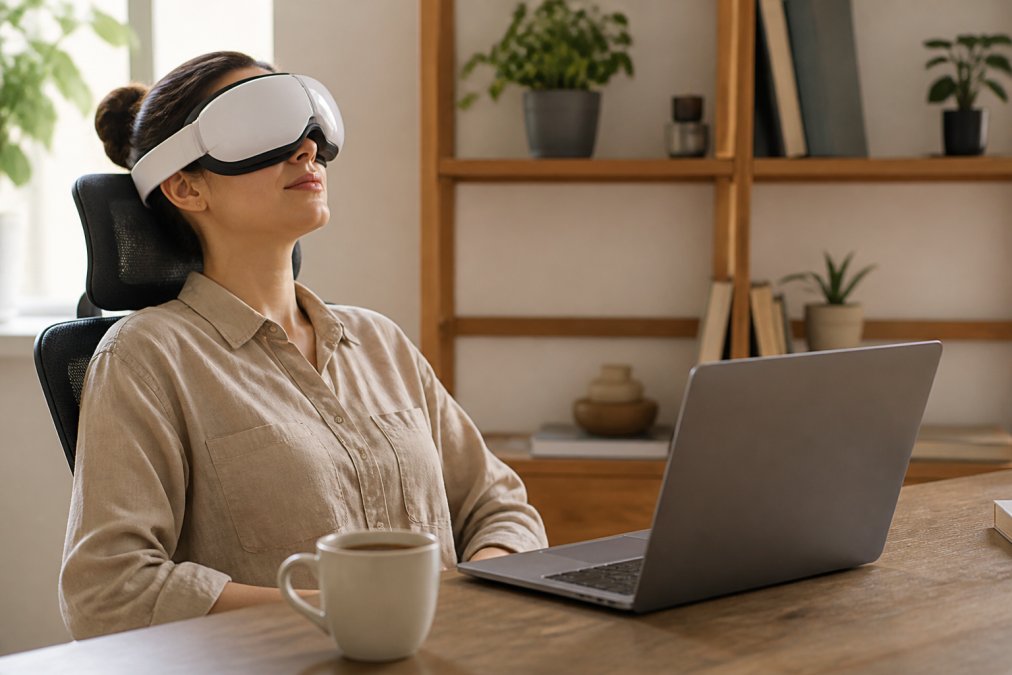
Bluetooth Eye Massager with Wireless Charging
Eye strain is the silent productivity killer of remote work. The Bluetooth Eye Massager with Wireless Charging ($44.95) combines heat compression around the eye area with Bluetooth audio, so your 10-minute break becomes genuinely restorative. It charges wirelessly, eliminating cable clutter. For anyone logging six or more hours in front of a screen daily, this addresses a common ergonomic issue.
Best for: Remote workers who experience afternoon eye fatigue, headaches, or tension after long video conferencing sessions.
OpenFit Clip-On Sport Earbuds
Most remote workers face the same audio dilemma: over-ear headphones isolate you from your household, while in-ear buds cause fatigue after hours of wear. The OpenFit Clip-On Sport Earbuds ($54.95) use an open-ear clip design that sits on the outer ear rather than inside the ear canal, eliminating pressure and warmth discomfort. The secure fit holds through movement and covers a full workday on battery.
Best for: Remote workers who need audio for calls and focus music but can't afford full isolation, especially parents working from home.
Affordable Home Office Gadgets Under $50 That Deliver
Budget is a real constraint for most home office setups. The picks below are the best affordable home office gadgets under $50 that genuinely pull their weight in daily workflow.
MagCharge Rapid Power Bank Pocket
A dead phone during a video call is a specific remote work nightmare. The MagCharge Rapid Power Bank Pocket ($24.95) solves this without adding a cable to your desk. The magnetic attachment means you drop your phone on the bank and it starts charging, no aligning a port, no cable to unplug when you need to move.

Best for: Remote workers who move between locations or use their phone as a secondary screen, hotspot, or camera during calls.
Magnetic Vacuum Phone Mount
The Magnetic Vacuum Phone Mount ($24.95) keeps your phone at eye level and hands-free, which matters when your phone is also your camera, two-factor authentication device, and backup communication channel. The vacuum suction base works on smooth surfaces including desks and glass.
Best for: Anyone who constantly picks up and puts down their phone, or who uses it for reference material while their hands are occupied.
Desk Organization Ideas for Productivity and Small Spaces
Desk organization reduces the number of decisions your brain makes before it can start working. According to research on workspace clutter and cognitive performance, physical clutter competes for attention and increases stress responses.
The most effective desk organization ideas focus on consolidation: fewer devices, fewer cables, fewer surfaces covered.
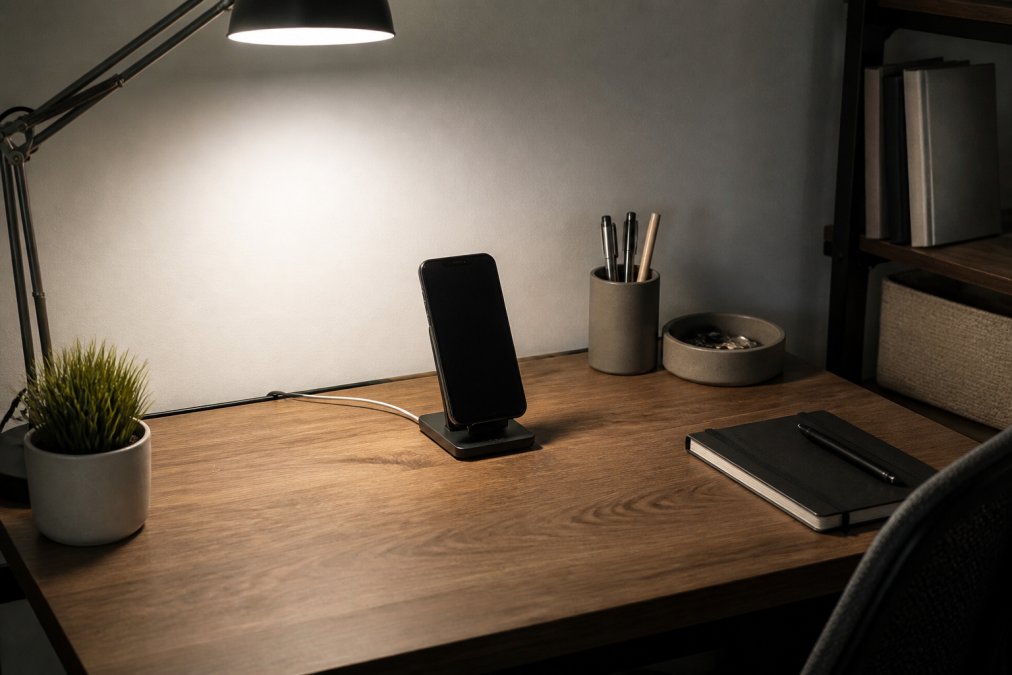
Wireless Induction Speaker Phone Stand
The Wireless Induction Speaker Phone Stand replaces three separate devices: a Bluetooth speaker, a phone stand, and a wireless charging pad. For small-space remote workers, this consolidation is a significant desk organization win. You're removing objects from the equation entirely, and the induction charging eliminates one of the primary sources of cable chaos.
Best for: Apartment dwellers and small-space remote workers who want audio for calls and music without adding another device.
Ambient Lighting and Atmosphere: The Overlooked Desk Gadget
Most home office guides treat lighting as a technical problem and ignore it as a psychological one. The National Institutes of Health overview of light exposure and circadian rhythm notes that light environment significantly affects alertness, mood, and cognitive performance. For remote workers without the visual variety of a commute or shared office, ambient lighting is a genuine productivity tool.
Galaxy Night Atmosphere Lamp Projector
The Galaxy Night Atmosphere Lamp Projector ($44.95) projects a starry, nebula-style atmosphere across your ceiling and walls. Many remote workers find that a shifting ambient visual environment can reduce restlessness and aid focus. It's the visual equivalent of background music.

Best for: Remote workers who struggle with sensory monotony, creative professionals who benefit from atmospheric environments, and neurodivergent workers who find static environments harder to focus in.
Desk Gadgets for Neurodivergent and Small-Space Remote Workers
Most desk gadget guides target a single archetype: someone with a dedicated home office and no particular sensory sensitivities. Neurodivergent-friendly workspace design is underserved in the home office category.
A few principles that apply specifically to this group:
- Reduce cable chaos aggressively. Visual clutter is a genuine attention disruptor for many neurodivergent workers. Cable management solutions and consolidating devices directly reduce this friction.
- Control your audio environment intentionally. Open-ear earbuds give you the ability to add focus audio without the sensory overwhelm of full noise cancellation.
- Use ambient lighting as a sensory anchor. The Galaxy Night Atmosphere Lamp Projector gives your visual field something gentle to process during mental breaks.
- Minimize decision points. Magnetic wireless charging removes one daily micro-decision. Multiply that by a hundred small frictions across a workday and the cumulative cognitive load can be significant.
For small-space workers, the constraint is surface area. Every device competes with your working space. Prioritize consolidation first, and choose devices with wireless charging, durable build quality, and multi-function designs.
Which Desk Gadgets Should You Actually Buy First?
The best desk gadgets aren't the most expensive or technically impressive. They're the ones that solve the problem you're actually experiencing right now.
| Problem | First Buy | Why |
|---|---|---|
| Eye fatigue and headaches by afternoon | Bluetooth Eye Massager ($44.95) | Directly addresses a common remote work health complaint |
| Phone always dead or in the way | MagCharge Rapid Power Bank ($24.95) | Removes a daily frustration for under $25 |
| Audio fatigue from heavy headphones | OpenFit Clip-On Earbuds ($54.95) | Open-ear design is genuinely different from standard earbuds |
| Desk clutter and cable management chaos | Wireless Induction Speaker Phone Stand | Replaces three devices with one |
| Workspace feels monotonous and draining | Galaxy Night Atmosphere Lamp ($44.95) | Changes the psychological character of a static space |
| Phone constantly in the wrong place | Magnetic Vacuum Phone Mount ($24.95) | Hands-free access anywhere on your desk |
Start with one gadget, use it for two weeks, and add the next only when the first has become automatic. Workspace optimization is iterative. The best home office setup isn't the one with the most gadgets, it's the one where every object on the desk has a daily job.
For a deeper look at workspace ergonomics beyond gadgets, OSHA's guidelines on computer workstation ergonomics provides a thorough framework for evaluating your full setup, from monitor height to keyboard placement to chair positioning.
Frequently Asked Questions
Q: What are the most essential desk gadgets for remote work?
A: The gadgets that make the biggest day-to-day difference are those that solve a recurring pain point: eye strain relief, device charging, audio quality for calls, and desk organization. A wireless charging power bank, open-ear earbuds for long calls, and an eye massager for end-of-day recovery can address common complaints most remote workers report. Start with whichever problem costs you the most focus time each day.
Q: How can I improve my home office setup on a budget?
A: Focus on accessories under $50 that fix specific friction points rather than buying broad upgrades. A magnetic phone mount ($24.95) can help eliminate the habit of picking up your phone mid-task. A compact power bank ($24.95) means you never lose momentum hunting for a cable. Prioritize one ergonomic fix and one organizational fix before spending on anything else. Small, targeted purchases can be effective for most apartment setups.
Q: What are the best ergonomic desk accessories for long hours?
A: For remote workers logging six or more hours daily, high-impact ergonomic desk gadgets can address the eyes, ears, and posture. An eye massager with heat and air pressure can relieve the tension that builds from screen exposure. Open-ear earbuds can reduce the fatigue caused by in-ear monitors worn all day. Beyond gadgets, pairing these with a monitor riser to bring your screen to eye level and a lumbar support cushion covers common ergonomic bases without a full desk overhaul.
Q: Which desk gadgets actually increase productivity for remote workers?
A: Gadgets that reduce task-switching and physical discomfort can show clear productivity gains. A wireless phone stand that charges your device while keeping it visible can help reduce the habit of unlocking your phone to check battery. Ambient lighting that shifts your environment can signal your brain to focus or wind down. Cable management tools and a desk mat can reduce visual clutter, which may lower the low-level cognitive load that accumulates across a workday.
Q: Are there good desk gadgets for small apartments or neurodivergent remote workers?
A: Yes, and this is an area most product roundups ignore. For small spaces, multi-function devices matter most: a phone stand that also charges wirelessly, or a projector lamp that doubles as ambient lighting for focus and relaxation. For neurodivergent workers, sensory-friendly tools like open-ear earbuds (which avoid the trapped feeling of in-ear monitors) and adjustable atmosphere lighting can help regulate focus and reduce overstimulation without requiring major workspace changes.
Remote work setups rarely fail because of missing technology. They fail because of accumulated small frictions: a dead phone, a cluttered surface, eye strain that builds until 3 PM is unworkable. Coolneeds curates desk gadgets designed to remove exactly those frictions, with a focus on products that earn their place rather than just filling a shelf. Browse the full collection at Coolneeds and start with the one problem that's costing you the most focus today.
This article was written using GrandRanker


